
 NO
NOWeb-based – Windows, Apple, Android and Linux Licences or SaaS
Project & portfolio management
Execute projects on time, at cost.
Adrega PI is a technology-leading project scheduling and control tool for Project and Portfolio Management (PPM). Manage any project of any size and complexity, with accurate, relevant and up-to-date information as the basis for your decisions.
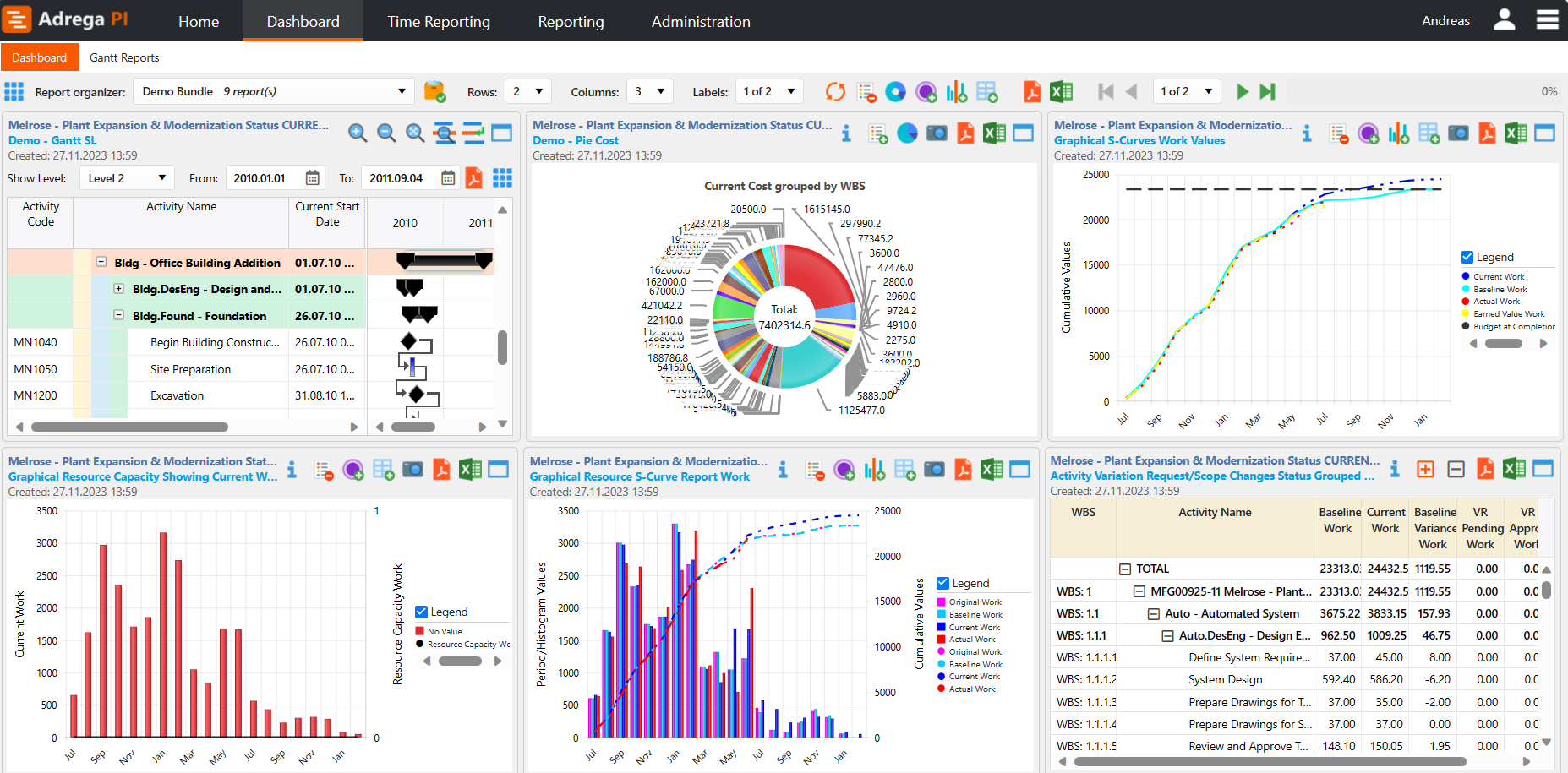
Successful projects require continuous monitoring
Adrega PI Dashboard
The main challenge for many businesses is to successfully translate strategies into actions, and monitor and measure, analyse and improve their processes and projects as they develop.
Many companies either do not develop business cases for any of their projects or do them only on select, key projects and lack the relevant metrics in place except for finance. They are unable to adjust and align their budgets with business needs more than once or twice a year.
Project management is one of the most under-systemized areas of business operation. Project groups don't follow standard project management processes or they don't have the right staff working on projects. Project managers don't assess the risks that could harm their projects or determine ways to mitigate those risks.
Companies that implement project portfolio management tools see that their businesses increase productivity and improve their results.
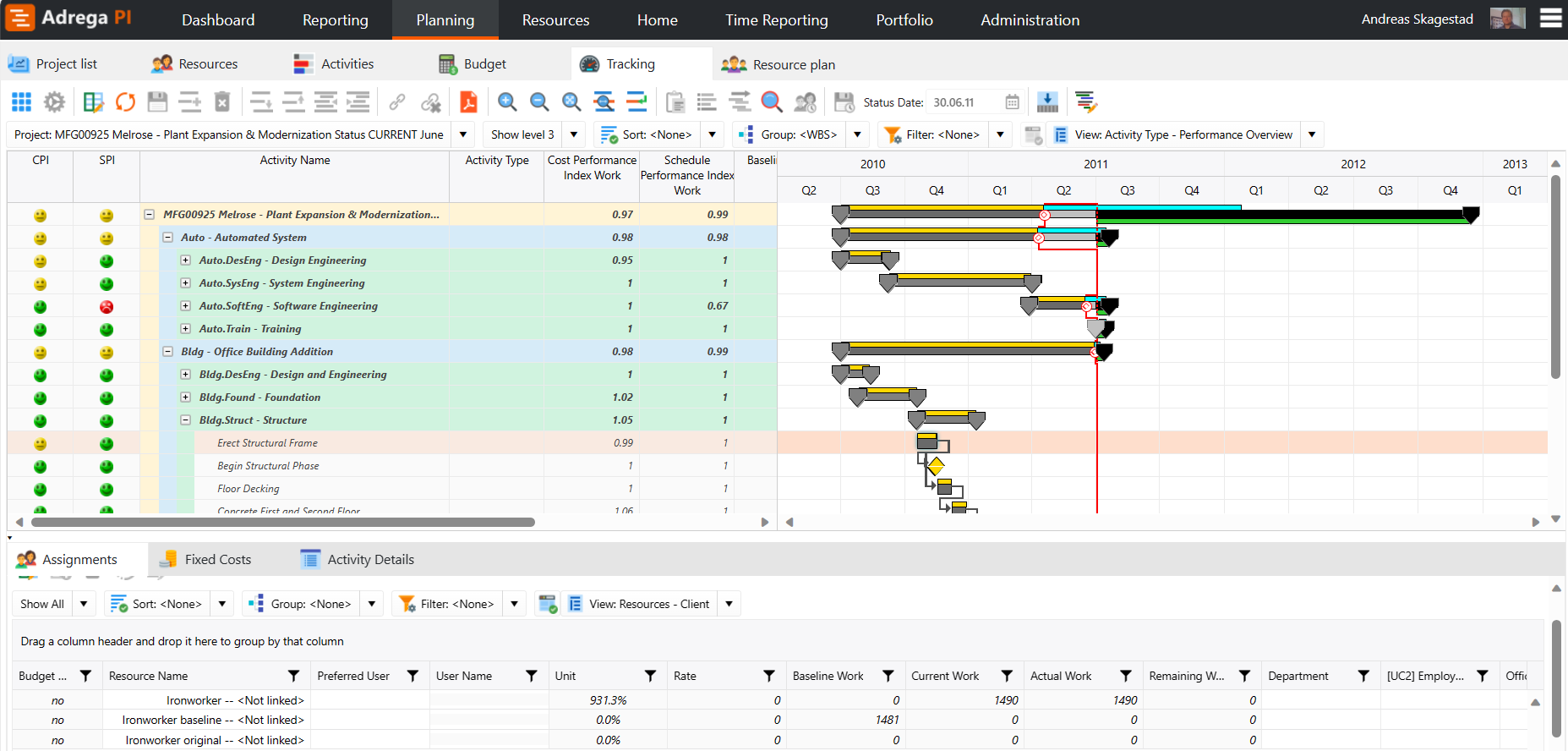
Adrega Project Intelligence (PI)
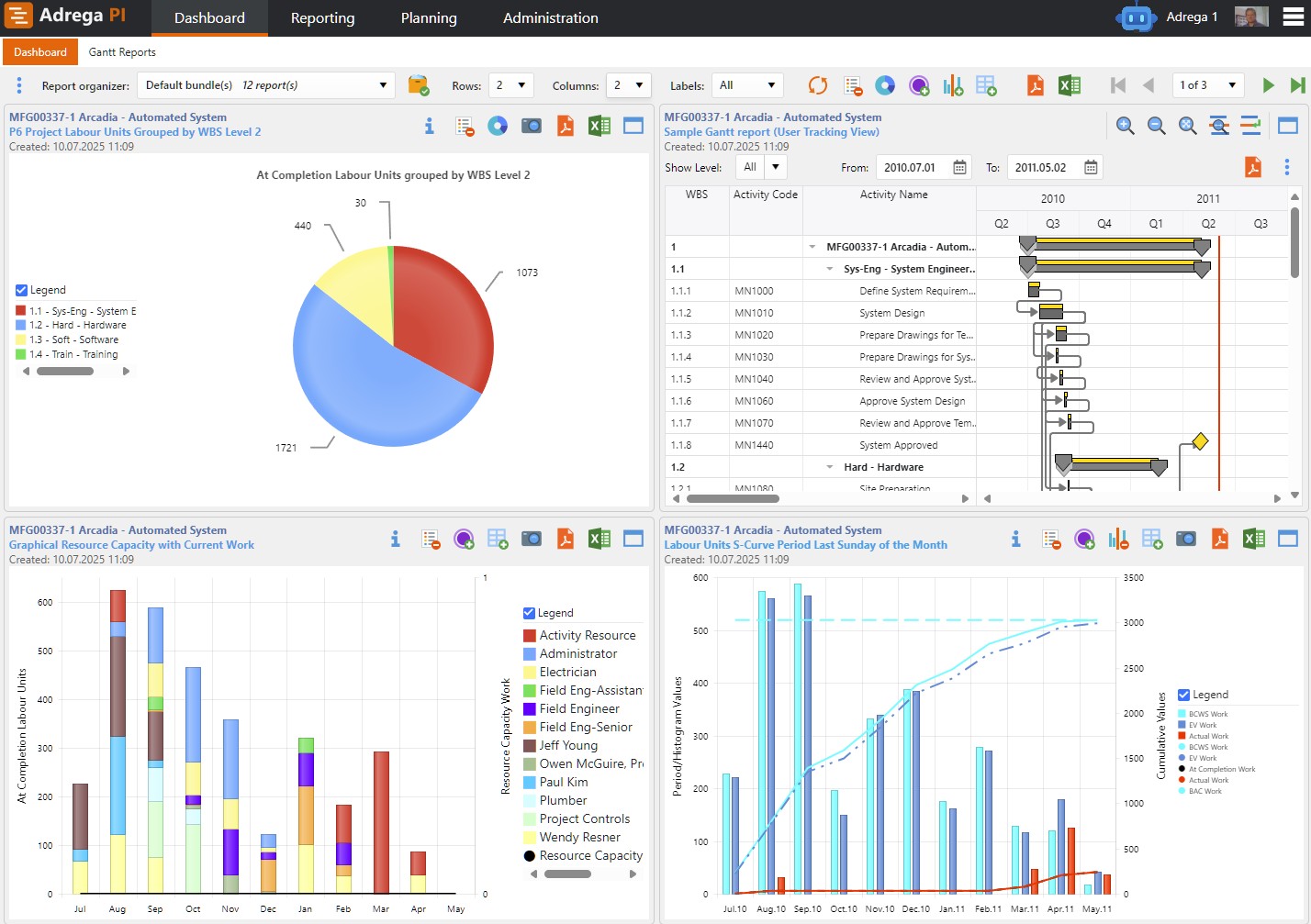
Adrega PI Dashboard
Adrega PI makes it easy to execute projects on time, at cost, and with the correct quality. It adds value by providing a proactive approach to project management which can help you detect errors and discrepancies early enough to implement corrective actions in a timely manner.
Adrega PI’s goal is to provide a platform for project control that supports not only the control aspect of the process but also the communication. Communicating concise, accurate and timely information to external and internal project members both via a comprehensive dashboard is the key to project success.
Project management is one of the most under-systemized areas of business operation. Project groups don't follow standard project management processes or they don't have the right staff working on projects. Project managers don't assess the risks that could harm their projects or determine ways to mitigate those risks.
Adrega PI is currently used in large, multinational industrial groups as well as in smaller technology companies.
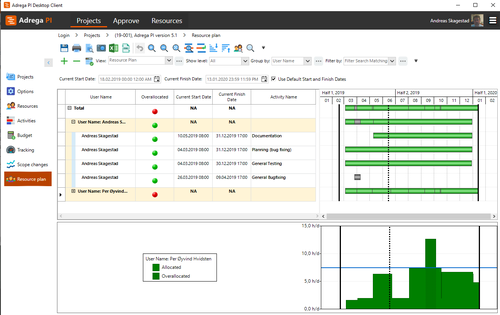
Easy to use, advanced functionality
Resource Plan
Much of the functionality available in the product is similar to functionality available in Microsoft applications, for example copy/paste, and fill up/fill down. This use of Windows functionality eases the learning curve for new users.
Adrega PI is professional scheduling software based on earned value. It is used to monitor both progress and cost and enables efficient and easy reporting on projects. It also supports data from other planning systems. You can view and share your entire portfolio of projects in one Microsoft SQL database.
Project management is one of the most under-systemized areas of business operation. Project groups don't follow standard project management processes or they don't have the right staff working on projects. Project managers don't assess the risks that could harm their projects or determine ways to mitigate those risks.
Adrega provides you with two licensing options depending on what suits your company best; purchasing licenses or SaaS. Both options give you access to Adrega PI’s powerful and easy to understand tool, entitlement to new releases, upgrades and technical support.
Adrega PI is web-based and supports all commonly used browsers on Windows, Apple, Android and Linux. It is a multi-user system built on a Microsoft SQL-database, and it is flexible and easy to customize to suit your needs.
Our primary requirement is that the program should be easy to use for all types of users, and at the same time support advanced features required by experienced users responsible for complex projects.
A predefined work process within the Planning module makes it simple and easy to understand and use. This leads less experienced users through the process of defining their projects; while the advanced user can do all they need to do in a single place.
Users can define their own views, create groups and filters and set which view should be displayed as default in each option of the Planning module. Such views, groups and filters can be shared with others. The same applies to printed reports and reports that can be viewed in the user's dashboard.
Standalone, or with Primavera P6
Use Adrega PI as a standalone application, or as a Primavera P6 reporting tool.
Standalone
Adrega PI
Professional scheduling software based on earned value. Monitor both progress and cost, manage resources across a portfolio of projects, and view and share your entire portfolio in one Microsoft SQL database.
- Time, cost, duration and burn-down models
- Resources across a portfolio of projects
- Your own views, groups and filters – shared with others
For Oracle Primavera® P6
Free demoAdrega PI Primavera Reporting
A bridge between Adrega PI and Oracle Primavera®, giving you a fully integrated planning, scheduling and reporting solution. Reports in the built-in dashboard, as PDF or as Excel.
- Multi-cut-off dates: last Sunday of the month, bi-weekly and more
- S-curves, late curves and performance reports
- Data integrity between the two systems
Try a free demo Learn more about Adrega PI Primavera Reporting
Latest news
All news →Adrega demos and tutorials are out
We now have a comprehensive dedicated website to handle demos and tutorials for Adrega PI.
Read more: Adrega demos and tutorials are out →Successful projects require continuous monitoring
Detect errors and discrepancies early enough to take corrective action – and communicate concise, accurate and timely information to everyone on the project.
Earned value at the core
Monitor progress and cost together, with efficient and easy reporting on every project.
Easy for new users
Copy/paste and fill up/fill down work as in Microsoft applications. A predefined work process guides less experienced users through planning.
Advanced when you need it
Experienced users get the advanced features complex projects need, in a single place – and Adrega PI supports data from other planning systems.
Buy licences or go SaaS
Both options include new releases, upgrades and technical support.